Bluetooth and WiFi for your Concept2 PM3
ErgDog is a $10 board that plugs into your PM3’s USB port and gives it the wireless it never had. ErgData, EXR, Kinomap and the rest connect to it like a PM5, and every workout saves itself and uploads to Strava over your WiFi.
The demo is the real dashboard running on sample workouts, right here in your browser.
What it connects to
One USB cable to the PM3, and ErgDog does the talking for it: Bluetooth to your apps and heart rate strap, WiFi to Strava and the dashboard, and ANT+ to a Garmin watch.
Bluetooth
ErgData, EXR, Kinomap, ErgZone, MyWhoosh, ErgArcade, Regatta and the Concept2 Logbook app. They all see a PM5, so there’s no new account or app to learn.
Heart rate straps.
WiFi
Strava, right after each workout. Concept2 Logbook coming soon.
The dashboard, on any phone or laptop in the house.
Home Assistant.
ANT+
Garmin watches and bike computers.
Old ANT+ heart rate straps.
Needs a spare ANT+ USB stick.
Leave the phone out of it
You don’t need a phone on the erg to log a row. Rowing can be a break from everything else, and a phone brings everything else along with it: messages, notifications, an app to open before you can start. Set your piece on the PM3 the way you always have, row, and get off. The workout is already saved.
No app to open first, nothing to pair, nothing to tap when you finish. Whenever you feel like looking back, it is all on the dashboard.
New life for old devices
A PM3 with no wireless of its own joins the modern rowing world, and that old ANT+ stick in a drawer finally earns its keep.
Heart rate on the PM3’s own screen
Pair a Bluetooth strap and ErgDog feeds its reading into the PM3 through a 3.5 mm cable, so your heart rate is right there on the monitor. The wiring guide shows the cable.
Straight to a Garmin watch
Garmin watches only pair to a rower over ANT+. Plug in a spare ANT+ USB stick and your watch pairs through the same Row Indoor activity it uses for a PM5. You don’t need a Connect IQ app or a watch update.
An old ANT+ strap, in a Bluetooth app
The same stick reads an old ANT+ heart rate strap and hands the reading on to apps that only speak Bluetooth. The ANT+ guide covers the free key it needs.
Look back on a row
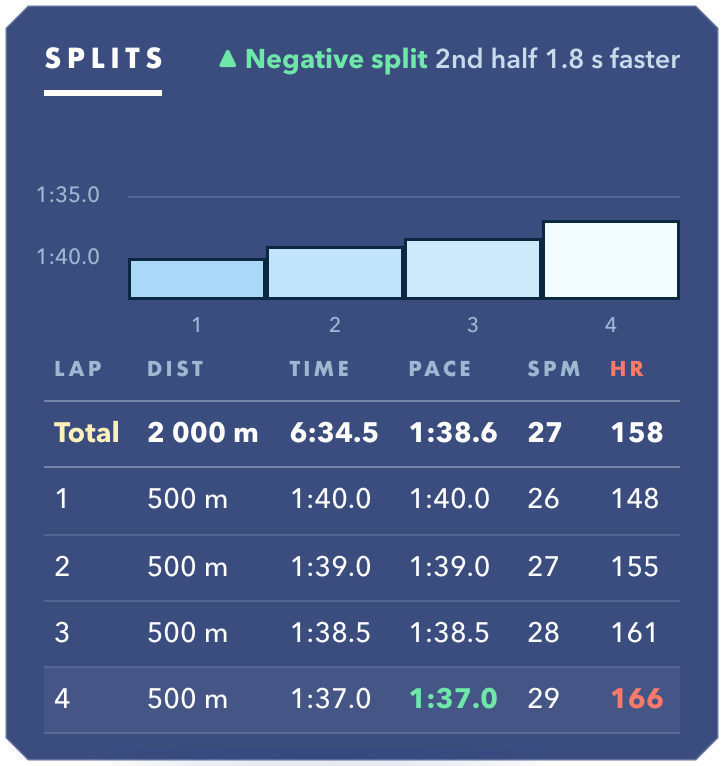
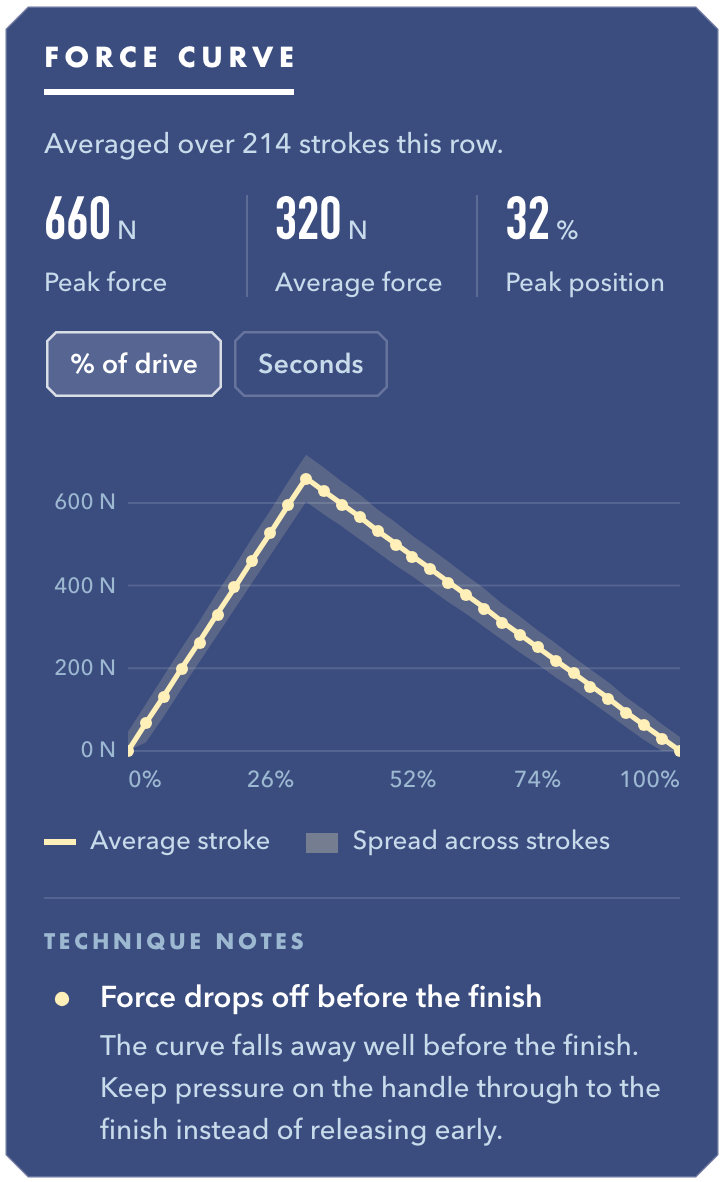
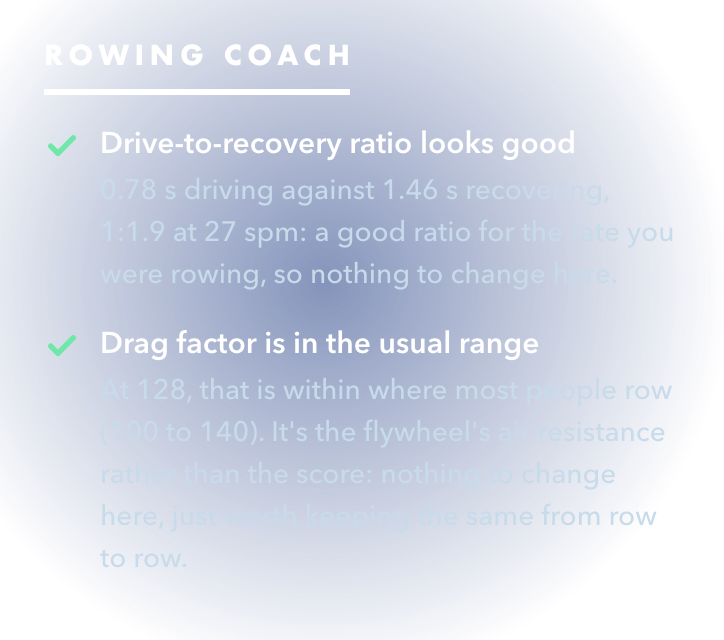
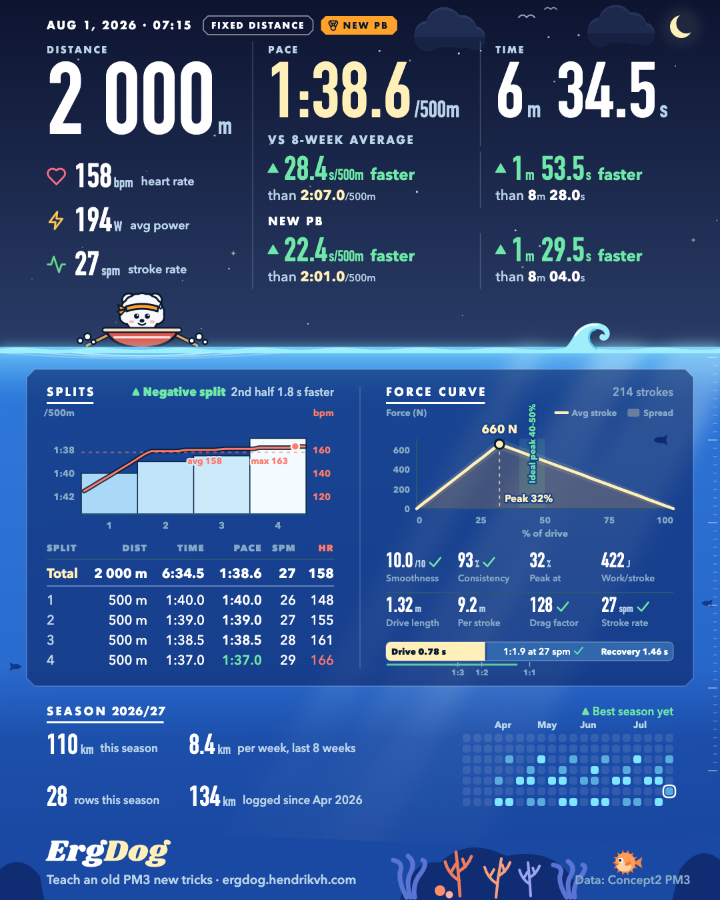
Open any workout on the dashboard for its splits, the shape of your average stroke, and plain notes on your technique.
Everything you’ve rowed
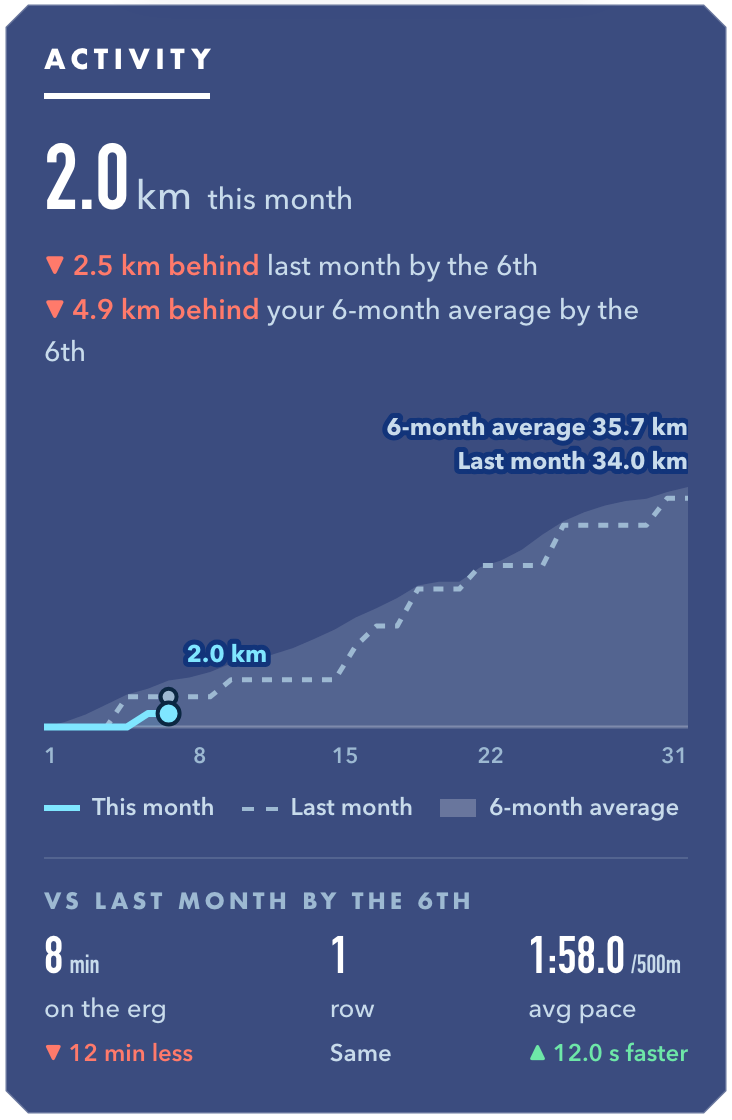
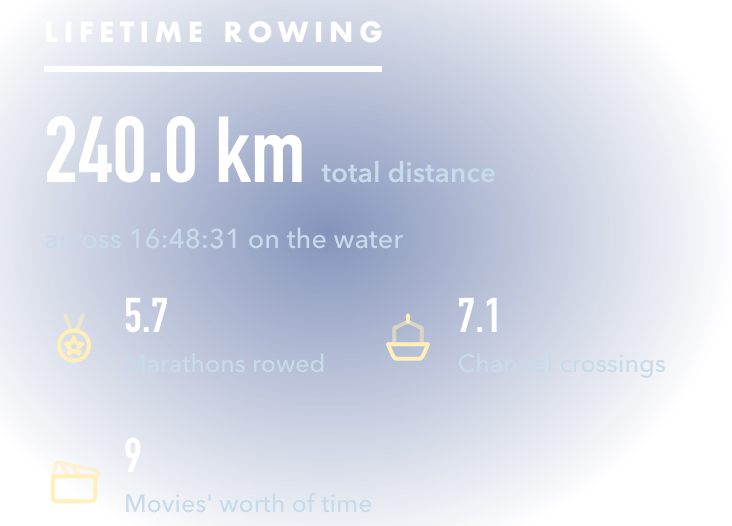
The Stats tab keeps your whole history: how this month is going against the last, your best efforts at every standard distance, your streaks, and some silly lifetime totals.
For whoever’s waiting on you
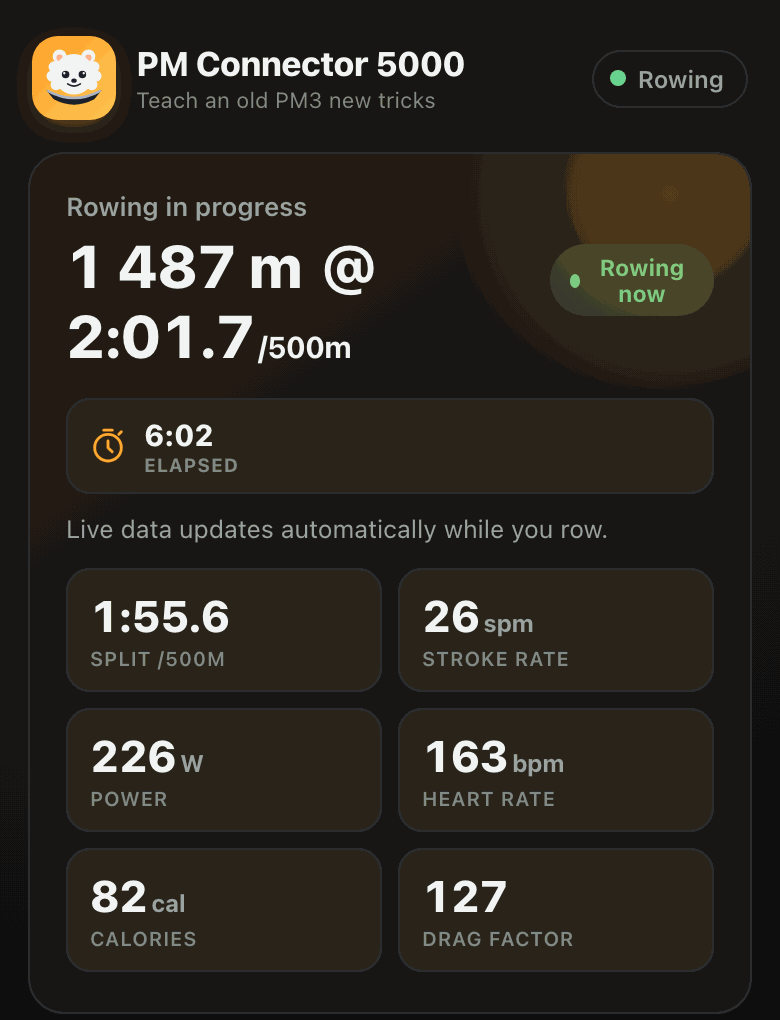
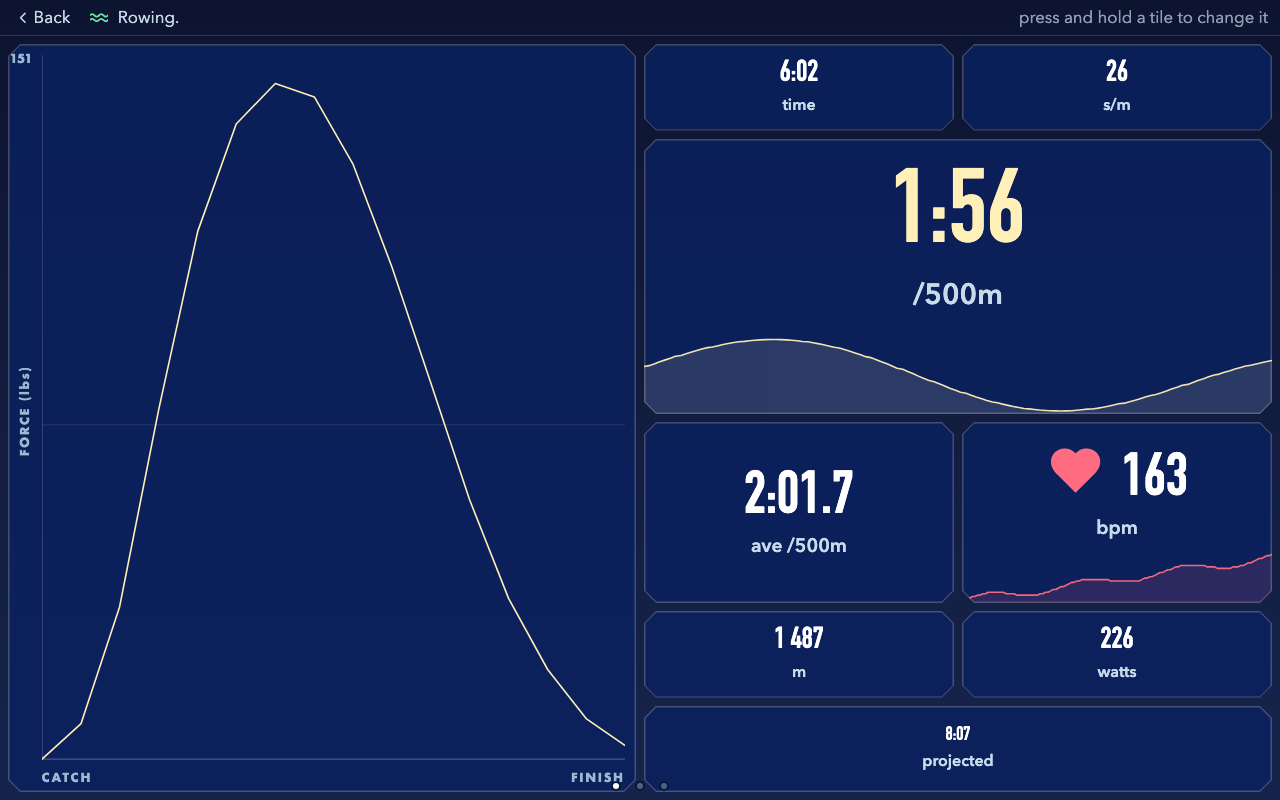
If you love rowing, you might row too long, and someone will wonder when you’ll be done. Anyone on your WiFi can open the dashboard on their own phone and see your pace, your distance and when you’ll finish.
Your data stays yours
Everything lives on the device itself. Strava gets a direct line from ErgDog, nothing routes through us, and we never get read access to your account.
Questions
- Why not just buy a PM5?
- If you can afford a PM5 and don’t mind retiring your PM3, get a PM5. In the US it’s a cheap upgrade. In a lot of other countries it’s expensive or hard to get. ErgDog fixes the one thing the PM3 is missing for about $10.
- Do I need to solder?
- One tiny jumper on the back of the board. A blob of solder is the tidy way, a scrap of tinfoil glued down works too, and some boards arrive with it already done.
- Do I need a computer?
- Once, to install the firmware from a browser. iPhones and iPads can’t do that step. You can do everything after it from your phone.